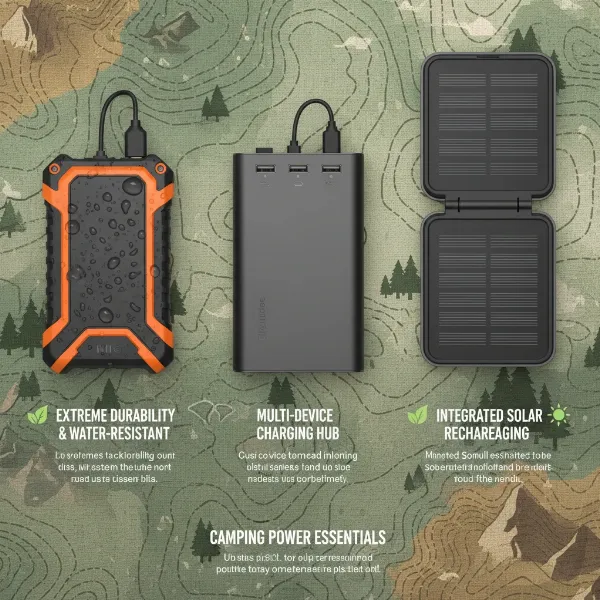
Gaming on the go is no longer a pipe dream; it’s a reality for millions. But the thrill of taking your high-performance gaming rig anywhere often collides with the harsh reality of its demanding power consumption. A standard power bank designed for smartphones simply won’t cut it for a beastly gaming laptop, leaving you tethered to an outlet or facing a dead screen mid-quest. Choosing the best power bank for heavy-duty gaming rigs requires careful consideration of capacity, output, and advanced charging technologies. This guide cuts through the noise, offering objective insights and practical advice to ensure your gaming sessions remain uninterrupted, wherever you are.
Understanding Power Banks for Gaming
At its core, a power bank is a portable battery. However, for gaming laptops, the stakes are much higher. You’re not just looking to trickle-charge a phone; you’re looking to provide substantial power to a device that can draw 100W, 150W, or even more, especially when running demanding games. This is where the distinction between a typical power bank and one engineered for gaming becomes critical. These specialized power banks feature higher energy densities and robust output capabilities to meet the intense demands of your portable battle station.
What truly makes a power bank “gaming-ready” boils down to its sheer capacity, measured in milliampere-hours (mAh) or watt-hours (Wh), and its power output, expressed in watts (W). While mAh gives you a sense of the battery’s raw size, Wh offers a more accurate comparison for laptops, as it considers both voltage and current. A 20,000mAh power bank for a phone behaves very differently than a 20,000mAh power bank designed to push power to a laptop. For gaming rigs, the output wattage is paramount. Without sufficient wattage, your power bank might only slow down battery drain rather than actively charge your laptop during gameplay.
The driving force behind modern laptop charging is USB-C Power Delivery (PD). This intelligent charging standard allows for dynamic negotiation of power between the charger and the device, delivering optimal voltage and current up to 240W. For gaming laptops, a power bank must support high-wattage USB-C PD (typically 65W, 100W, or higher) to effectively replenish your laptop’s battery or extend playtime. Standard USB-A ports, while useful for accessories, won’t provide the necessary juice for your main gaming machine.
Key Features to Look for
When investing in a power bank for your gaming setup, several specifications are non-negotiable to ensure you get the performance and reliability you need. These features dictate not just how long your devices stay powered, but also how efficiently and safely they charge. Overlooking any of these could lead to frustration or, worse, damage to your expensive equipment.
High Capacity (mAh/Wh)
|
Our Picks for the Best Power bank in 2026
As an Amazon Associate I earn from qualifying purchases.
|
||
| Num | Product | Action |
|---|---|---|
| 1 | Portable Charger Power Bank, 60000mAh Battery Pack with 3 in 1 USB-C/iOS/Micro-USB Cable, 22.5W Fast Charging Portable Phone Charger, Travel Camping Essential Powerbank for iPhone 17/16 Samsung,Ebony |

|
| 2 | Anker Power Bank, 20,000mAh Travel Essential Portable Charger with Built-in USB-C Cable, 3-Port 87W Max Fast Charging Battery Pack, for MacBook, iPhone 16/15 Series, Samsung, Switch, and More |
|
| 3 | Anker Prime Power Bank, 26,250mAh 3-Port Portable Charger with 300W Max Output, Two-Way Charging, TSA-Approved, App Control, for MacBook, iPhone 17/16 Series, and More (Base Not Included) |
|
| 4 | Anker 737 Power Bank, 140W Max 3-Port Laptop Portable Charger, 24,000mAh, Smart Display, Compatible with iPhone 16 / 15 / 14 Series, Vision Pro, Samsung, MacBook, and More |
|
| 5 | Anker Power Bank(PowerCore 10K), Compact Travel-Ready 10,000mAh Battery Pack with PowerIQ Charging Technology, 5V/3A High-Speed Charging for iPhone, iPad,and More (1, Black) |
|
| 6 | UGREEN QI2 Power Bank, 8.6mm Ultra-Slim 5000mAh Magnetic Battery, 20W PD Fast Charging Portable Charger, MagSafe-Compatible External Battery for iPhone 17/16/15/14 Series, Blue |
|
| 7 | Anker MagGo Power Bank, Ultra-Slim 10,000mAh Magnetic Battery Pack, Qi2 Certified 15W Ultra-Fast MagSafe Compatible Portable Charger, Ergonomic Design, for iPhone17/16/15/14 Series Only(Not for Pixel) |
|
| 8 | INIU Portable Charger, Ultra Slim 45W Fast Charging with Attached USB C Cable, Flight-Safe 10000mAh PD Power Bank Battery Pack, Travel Essential Phone Powerbank for iPhone 17 16 Samsung S25 Google etc |
|
| 9 | Anker Zolo Power Bank (2025 Upgraded Version), 20,000mAh 30W High-Speed Portable Charger with Built-in USB-C Cable, Battery Pack for iPhone 17/16 / 15 Series, Galaxy, and More |
|
| 10 | charmast Portable Charger with Built in Cables, Power Bank with Cords Wires, Slim 10000mAh Travel Battery Pack 6 Outputs 3 Inputs 5A Fast Charging for Samsung Google Pixel LG Moto iPhone iPad |
|
For gaming laptops, a minimum capacity of 20,000mAh (around 74Wh) is generally recommended to provide at least one full charge or significantly extend your playtime. However, heavy-duty gaming rigs often benefit from even larger capacities, such as 25,000mAh to 27,000mAh, which push close to the common 100Wh airline carry-on limit. Portable power banks with capacities like Anker Prime’s 27,000mAh deliver substantial reserves for prolonged sessions, ensuring you stay in the game longer without scrambling for an outlet. Keep in mind that while higher capacity means more power, it also typically means a larger, heavier device.
High Power Output (Watts)
This is arguably the most critical factor for gaming laptops. Many gaming laptops demand 100W or more for efficient charging, especially when under load. A power bank with less than 65W output might only be suitable for charging your laptop when it’s off or in sleep mode. For true heavy-duty gaming, aim for power banks offering 100W, 140W, 165W, or even higher, up to 240W or 300W like some of the latest Anker Prime models. This high wattage ensures your laptop receives enough power to charge quickly and can maintain performance even during intense gaming sessions.
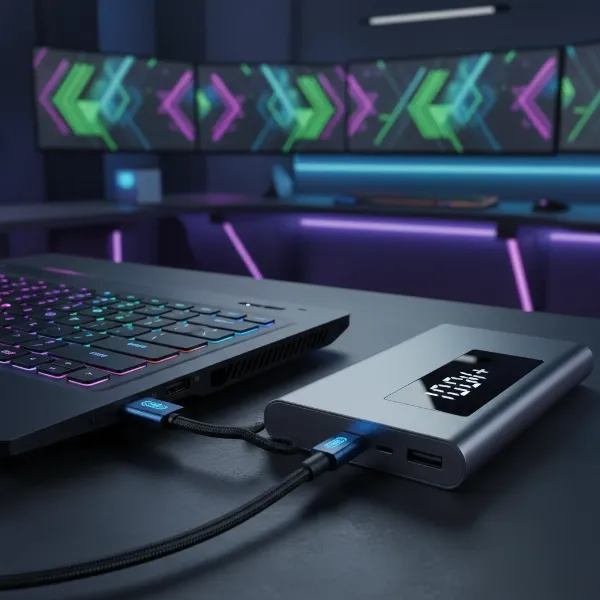 Gaming laptop connected to a high-wattage power bank, showcasing power output
Multiple Ports
A versatile gaming power bank should come equipped with multiple ports to cater to your entire mobile arsenal. Look for at least one, but ideally two, high-wattage USB-C PD ports to charge your laptop and potentially another high-power device like a tablet or a second gaming peripheral. Additionally, one or two USB-A ports are useful for charging smaller accessories such as gaming mice, headsets, or smartphones. This multi-port capability allows you to keep all your essential gear topped up simultaneously.
Safety Features
Protecting your valuable gaming rig is paramount. Reputable power banks designed for laptops include advanced safety protocols such as overcharge protection, overheat protection, short-circuit prevention, and over-current protection. Always prioritize brands that clearly state their safety certifications (e.g., UL, CE, FCC, RoHS) and have a strong reputation for quality control. Avoiding generic or unbranded power banks can prevent potential hazards and ensure the longevity of both your charger and your devices.
Fast Recharging
While it’s crucial for the power bank to quickly charge your devices, its own recharge speed is also important. A high-capacity power bank can take many hours to fully recharge if it lacks fast input capabilities. Look for models that support high-wattage input (e.g., 65W or 100W via USB-C PD) to minimize downtime between your gaming adventures. Some advanced power banks can recharge in as little as 1.5 to 3 hours, a significant advantage for frequent travelers or competitive gamers.
Airline Approval
If you plan to take your gaming setup on flights, be aware of airline regulations for portable batteries. Most airlines allow power banks under 100 watt-hours (Wh) in carry-on luggage. Power banks between 100Wh and 160Wh may require airline approval, and anything above 160Wh is typically forbidden. A 27,000mAh power bank is usually around 99.9Wh, making it airline-approved without special permission. Always double-check the Wh rating on the power bank itself to ensure compliance.
Top Contenders: Best Power Banks for Gaming Rigs
When it comes to powering heavy-duty gaming rigs on the move, a few brands consistently stand out for their innovation, capacity, and high-wattage output. These power banks are engineered to meet the strenuous demands of gaming laptops, offering reliable performance and essential features for serious gamers.
One of the leading names in portable power is Anker. Their Anker Prime series, particularly models like the 27,000mAh with 250W output or the 20,000mAh with 220W output, are top-tier choices. These units boast multiple high-speed USB-C PD ports, often an intuitive smart display showing real-time power delivery, and excellent build quality. They are designed to charge even the most power-hungry gaming laptops efficiently, sometimes even while actively gaming.
UGREEN also offers compelling options, with their UGREEN Nexode Power Bank series providing a strong balance of power and portability. Models like their 25,000mAh variants with 145W or 200W output are highly capable. UGREEN power banks often feature clear LED displays for monitoring charge status and output, multiple fast-charging ports, and a focus on safety standards. They represent a robust solution for gamers seeking reliable power without excessive bulk.
The Zagg Powerstation Pro XL is another worthy contender, typically offering a 25,000mAh capacity and 100W USB-C PD output. This power bank provides ample capacity and sufficient wattage for many gaming laptops, ensuring a solid charge or extended playtime. Its sturdy construction and multi-port design make it a practical choice for gamers who need dependable power on the go.
For those with exceptionally high power demands or needing versatile AC outlets, devices like the Omnicharge Omni Ultimate+ might be considered. While technically more of a portable power station due to its size and features, its 38,400mAh capacity and 100W USB-C PD along with an AC outlet make it suitable for a truly heavy-duty setup that might include external monitors or other AC-powered peripherals. However, it’s significantly larger and heavier than typical power banks.
“For peak gaming performance away from an outlet, raw capacity is important, but nothing beats high wattage USB-C Power Delivery. Aim for 100W or more from a single port to keep your gaming laptop thriving.” – Alex “Apex” Mercer, Esports Hardware Analyst
Bảng so sánh chi tiết
| Thương hiệu | Dung lượng (mAh) | Max Output (W) | Ưu điểm chính | Giá tham khảo |
|---|---|---|---|---|
| Anker Prime | 20,000-27,000 | 200-300 | Ultra-high power, smart display, premium build | Cao |
| UGREEN Nexode | 25,000 | 145-200 | Excellent value, good portability, reliable | Trung bình-Cao |
| Zagg Powerstation | 25,000 | 100 | Solid performance, durable design | Trung bình |
| Omnicharge (Ultimate+) | 38,400 | 100 (USB-C) + AC | AC outlet, massive capacity (power station) | Rất cao |
Hướng dẫn sử dụng và bảo quản Power bank
Maximizing the lifespan and performance of your gaming power bank involves more than just plugging it in. Proper usage and maintenance are key to ensuring it remains a reliable power source for your heavy-duty gaming rig for years to come. By following a few simple guidelines, you can protect your investment and maintain optimal charging efficiency.
Cách sạc Power bank đúng cách
Always use the original charging cable and adapter that came with your power bank, or a high-quality, compatible USB-C PD charger that matches its input requirements. Avoid using underpowered chargers, as this can significantly extend recharge times and may even impact battery health over the long term. It’s generally best to fully charge your power bank before its first use and avoid letting it completely drain to zero percent regularly. While modern lithium-ion batteries are resilient, maintaining a charge between 20% and 80% can often prolong their overall lifespan.
Cách bảo quản Power bank để kéo dài tuổi thọ
Store your power bank in a cool, dry place away from direct sunlight, extreme temperatures, and high humidity. Excessive heat is particularly detrimental to battery health. Avoid leaving it in a hot car or exposed to freezing conditions. If you’re storing the power bank for an extended period, aim for a charge level of around 50-70% rather than fully charged or completely depleted. Regularly inspect the power bank and its cables for any signs of damage, such as swelling, fraying, or unusual odors. Any physical damage or bulging indicates a potential safety hazard, and the unit should be safely disposed of.
Những lưu ý khi sử dụng Power bank
When charging your gaming laptop, ensure the power bank’s output wattage is sufficient for your laptop’s needs. Using an underpowered power bank might result in slower charging or even battery drain while gaming. Avoid covering the power bank during operation, as this can lead to overheating. Always place it on a hard, flat surface to allow for proper heat dissipation. If the power bank becomes unusually hot, discontinue use immediately. Always disconnect the power bank once your devices are fully charged to prevent overcharging, though most modern power banks have built-in protection.
Các vấn đề thường gặp và cách khắc phục
Even with the best power banks, occasional issues can arise. Knowing how to troubleshoot common problems can save you time and frustration, getting you back to your game faster. Most issues are minor and can be resolved with a few simple checks.
Power bank không sạc được
If your power bank isn’t charging, first check all cable connections. Ensure both the charging cable and the wall adapter are securely plugged in. Try using a different USB-C cable and a different wall charger, preferably one with a higher wattage output, to rule out faulty accessories. Also, try charging from a different wall outlet. Some power banks have a reset function (often involving pressing and holding the power button for several seconds); consult your power bank’s manual for specific instructions. If the power bank itself shows any signs of damage like swelling or a burning smell, it should be safely discarded.
Power bank sạc chậm
Slow charging can be due to several factors. Ensure you are using a USB-C PD port on the power bank and that your laptop is connected via a high-quality USB-C to USB-C cable capable of supporting high wattage (e.g., 100W or 240W rated). Check if your laptop is running very demanding applications or games, as this significantly increases power consumption and can slow down charging. Sometimes, updating your laptop’s drivers or firmware can improve charging efficiency. If the power bank is also being recharged simultaneously (pass-through charging), its output to your laptop might be reduced.
Power bank bị nóng khi sạc
It’s normal for power banks to get slightly warm during charging or discharging, especially when delivering high wattage to a gaming laptop. However, if it becomes excessively hot to the touch, there might be an issue. First, ensure it’s not covered and is on a surface that allows for heat dissipation. Try charging only one device at a time, or reduce the load if possible. Using non-certified cables or chargers can sometimes cause overheating. If the extreme heat persists, discontinue use immediately as it could indicate an internal fault and pose a safety risk.
Mẹo và thủ thuật khi sử dụng Power bank
Getting the most out of your gaming power bank means more than just charging; it’s about strategic usage. With a few smart tips, you can extend your gaming sessions, maximize efficiency, and even use your power bank in unexpected ways to enhance your mobile gaming experience.
Tối ưu hóa thời gian sử dụng Power bank
To make your power bank last longer during a gaming session, consider optimizing your laptop’s power settings. Lower screen brightness, reduce in-game graphics settings, close unnecessary background applications, and enable any power-saving modes your laptop offers. If your gaming laptop has a dedicated GPU, try switching to integrated graphics for less demanding titles to conserve battery. Charging your laptop while it’s off or in sleep mode will always be faster and more efficient than charging while actively gaming, as less power is being consumed.
Sử dụng Power bank trong các tình huống khẩn cấp
Beyond gaming, a high-capacity power bank is an invaluable tool for emergencies. It can keep your smartphone, flashlight, or other essential devices charged during power outages, natural disasters, or remote travel. The multi-port design means you can power multiple critical devices. Some advanced power banks even feature integrated LED lights that can serve as an emergency flashlight, adding another layer of utility. Always ensure your emergency kit includes a fully charged power bank.
Buying Guide (Hướng dẫn mua Power bank)
Navigating the market for a gaming power bank can be overwhelming, but a systematic approach will help you pinpoint the perfect device. Consider these factors closely to make an informed decision that aligns with your gaming habits and budget.
1. Xác định nhu cầu sử dụng:
Before looking at products, assess your specific needs.
- Thiết bị cần sạc: Are you only charging a gaming laptop, or also a tablet, smartphone, or gaming accessories like a Steam Deck or Nintendo Switch?
- Dung lượng cần thiết: How many full charges do you need for your laptop, or how much extra playtime? (e.g., 20,000mAh for one full laptop charge, more for extended use).
- Tính năng đặc biệt: Do you require specific features like an AC outlet, wireless charging, or a built-in display?
2. Nghiên cứu các thương hiệu và sản phẩm:
Reputation and reviews are your best friends.
- Đọc đánh giá và so sánh sản phẩm: Look for comprehensive reviews from tech sites and user feedback, paying attention to performance with gaming laptops.
- Tìm hiểu công nghệ sạc: Understand the difference between Quick Charge, Power Delivery (PD), and proprietary fast-charging protocols to ensure compatibility.
- So sánh giá cả và bảo hành: Balance features with your budget, and always check warranty policies. Reputable brands offer better support.
3. Kiểm tra các thông số kỹ thuật:
These numbers are crucial for gaming performance.
- Dung lượng (mAh/Wh): Target 20,000mAh (74Wh) minimum, with 25,000-27,000mAh being ideal for heavy users and airline travel.
- Điện áp/Cường độ đầu vào/đầu ra (V/A): Focus on the Wattage (W). For gaming laptops, ensure a single USB-C PD port can output at least 100W, ideally 140W, 165W, or more, matching or exceeding your laptop’s charging brick.
- Số lượng cổng sạc: Prioritize multiple USB-C PD ports along with USB-A ports for versatility.
4. Lưu ý về an toàn:
Safety should never be compromised.
- Chứng nhận an toàn: Choose power banks with certifications like UL, CE, FCC, and RoHS.
- Tránh hàng giá rẻ, không rõ nguồn gốc: These often lack proper safety mechanisms and can be dangerous.
- Không sử dụng pin bị phồng, rộp: This is a clear sign of a damaged battery and a significant fire hazard.
5. Mua hàng từ các nhà bán lẻ uy tín:
Ensures authenticity and support.
- Sản phẩm chính hãng: Purchase from authorized dealers or directly from the manufacturer to avoid counterfeits.
- Chế độ bảo hành: A good warranty provides peace of mind and protection for your investment.
- Chính sách đổi trả: Ensure you can return or exchange the product if it doesn’t meet your expectations or has defects.
Kết luận
For the dedicated gamer, a robust power bank is more than just an accessory; it’s an essential tool that unlocks true portable freedom. Moving beyond the limitations of standard chargers, the best power banks for heavy-duty gaming rigs combine immense capacity with high-wattage Power Delivery, ensuring your laptop can not only recharge efficiently but also sustain performance during intense gameplay. Prioritizing features like 100W+ output, reliable safety mechanisms, and multi-device compatibility ensures an uninterrupted and immersive gaming experience anywhere, anytime. Investing in the right power bank means investing in endless adventures. Are you ready to level up your mobile gaming?
Câu Hỏi Thường Gặp
Can a 20,000mAh power bank charge a gaming laptop?
A 20,000mAh power bank can typically provide one full charge to most standard laptops. For a gaming laptop, it can extend playtime or offer a significant charge when the laptop is off or idle, but its effectiveness during active gaming heavily depends on the power bank’s wattage output, which must be 65W or higher via USB-C PD for meaningful impact.
What wattage do I need for a gaming laptop power bank?
For optimal performance with a gaming laptop, aim for a power bank with a single USB-C Power Delivery (PD) port capable of outputting at least 100W. Many heavy-duty gaming rigs benefit from 140W, 165W, or even higher outputs like 200W-300W to ensure efficient charging even during demanding gameplay.
Are power banks for gaming laptops safe?
Yes, power banks specifically designed for laptops from reputable brands are safe. They incorporate multiple safety features such as overcharge, overheat, and short-circuit protection. Always choose certified products from trusted manufacturers and avoid generic or unbranded options to ensure device and user safety.
Can I use any USB-C power bank for my gaming laptop?
No, not all USB-C power banks are suitable for gaming laptops. While many phones use USB-C, gaming laptops require a power bank that supports high-wattage USB-C Power Delivery (PD), typically 65W or more, to charge effectively. A low-wattage USB-C power bank will charge very slowly or may not charge the laptop at all while it’s in use.